



Domino (PMS)
A role-based system for managing learning projects from request to delivery,
ensuring client transparency and admin control.

PROBLEM >>
Requesting a deliverable was messy and unclear-
it was hard to track ownership, status, and whether delays came from the client or the internal team.
And since the service is free, requesters could submit projects and disengage. Progress often stalled because required inputs never arrived.




STRUCTURE >>
Project Lifecycle Matrix
REQUEST SUBMISSION
REVIEW & PRIORITIZATION
PLANNING (GANTT)
EXECUTION (STAGES)
DELIVERY & FOLLOW-UP
Client
creates
Domain H.
Section H.
view
Section H.
reviews & approves
Domain H.
Section H.
schedule
Stage Owner
view only
Stage Owner
leads
Section H.
oversees
Client
tracks progress
Domain H.
Section H.
ensures wide distribution
responds to chat activity
& keeping it updated
• Submit project request
• Define deliverable type
• Attach materials
• Review request
• Approve / reject
• Assign a PM if needed
• Set deadlines
• Place in Gantt
• Allocate capacity
• Change stage status
• Upload deliverables
• Collaborate via chat
• Set reminders if needed
• Submit for validation
• Mark as completed
• Distribute to all relevant
• Monitor reach & usage
“Did I give enough info?”
“What happens next?”
“Is this prioritized?”
”Who will own it?”
“When will it start?”
“Is timeline realistic?”
“Is it progressing?”
“Who’s responsible?”
“Do I have all the materials to proceed?”
“Is it final?
”Can I request changes?”
“Is it reached all target or potential audiences?”
- Missing details
- Unclear scope
- Users drop off during the process
- Unclear information
- Capacity overload
- Misunderstood scope
- Approval bottlenecks
- Conflicting deadlines
- Hidden dependencies
- Stage delays
- Communication gaps
- Unmet expectations
- Limited audience reach
- Content becoming outdated over time.
+ Policy as an upfront quality users filter
+ Structured request form & mandatory fields
+ Clear approval status
+ Defined ownership
+ Transparent approval updates (multi-channel)
+ Gantt chart for project scheduling
+ Stage-level deadlines
+ Stage status logic
+ Project goals
+ Chat, contacts, file versions & reminders
+ “Completed” state
+ Project progress history
+ Audit trail
+ Scheduled re-validation
Full project transparency begins
All roles see approval / reject and reason
Client hidden from Gantt
All roles see progress and collaborate if needed
All roles sees final state
Strategic view for Domain & Section head
DESIGN >>
Crafting Flow
~ Client Feature 1
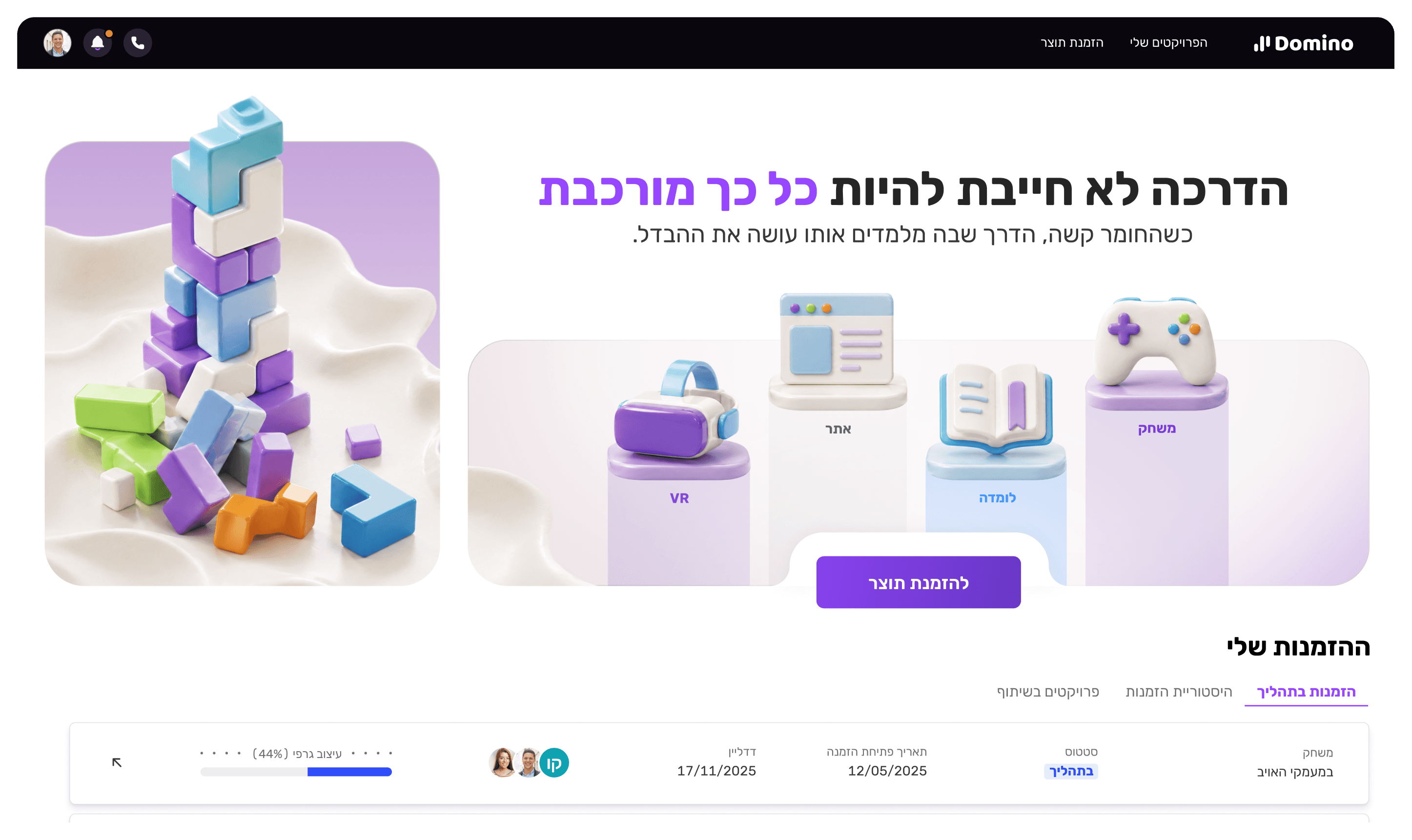
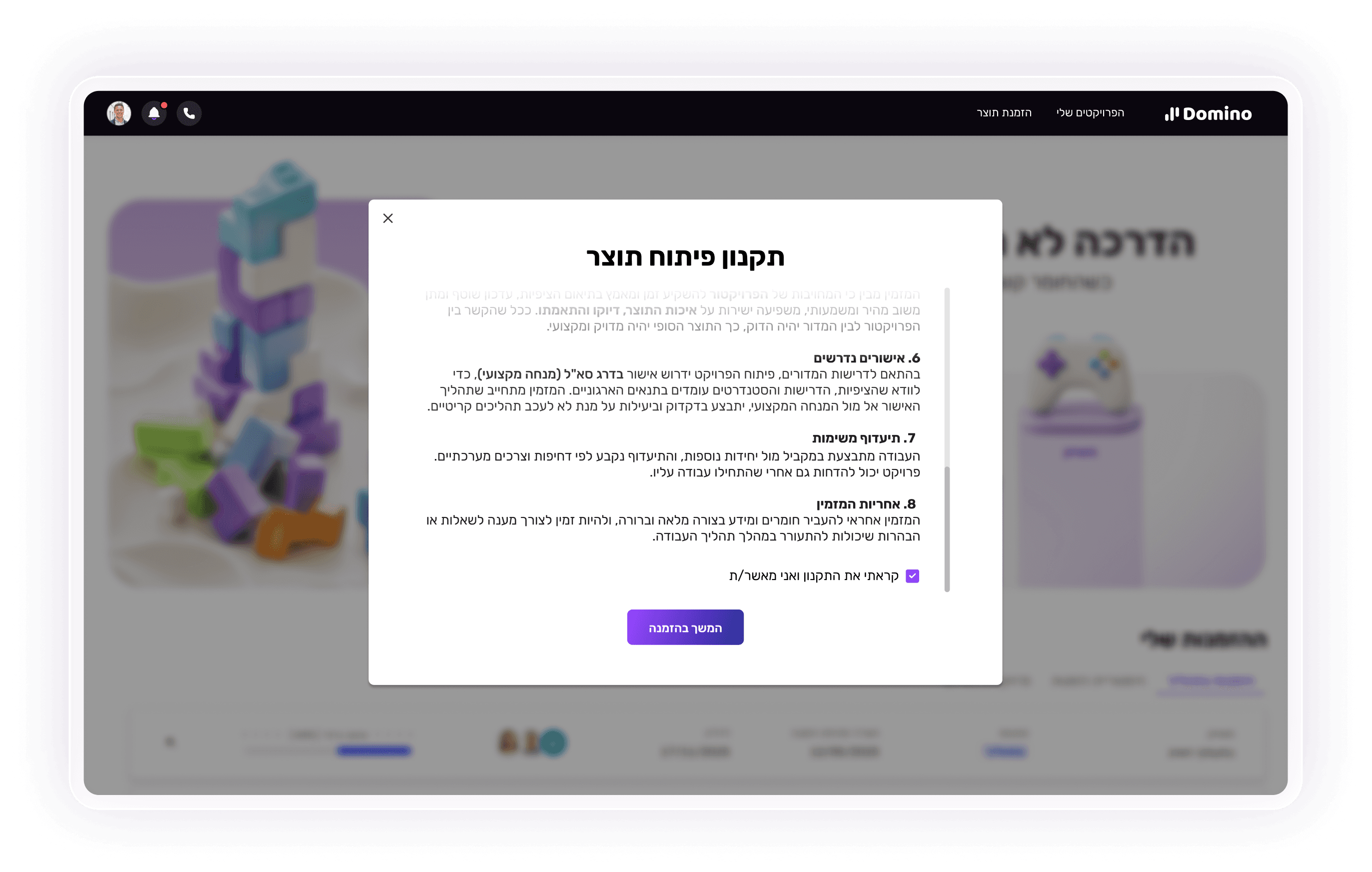
Entry Point: Requesting a Deliverable
Before filling out the form, the requester must approve a policy that sets expectations and commitment. We don’t expect users to read it- this step serves as a conscious filter for higher-quality, more accountable requests.
~ Client Feature 2
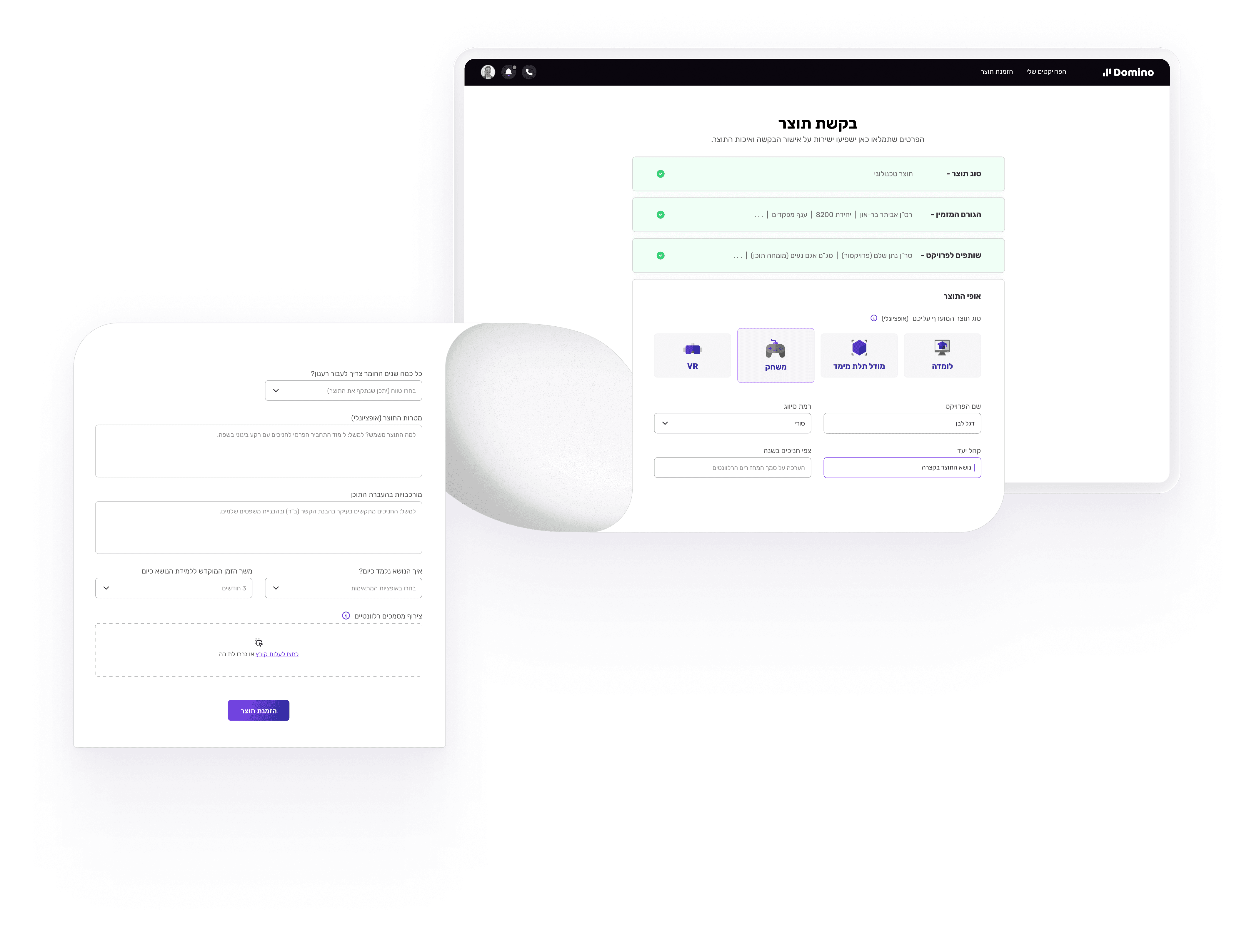
Guided Request Flow
Users choose request type to route the process correctly and keep the form focused and accurate.
~ Client Feature 3
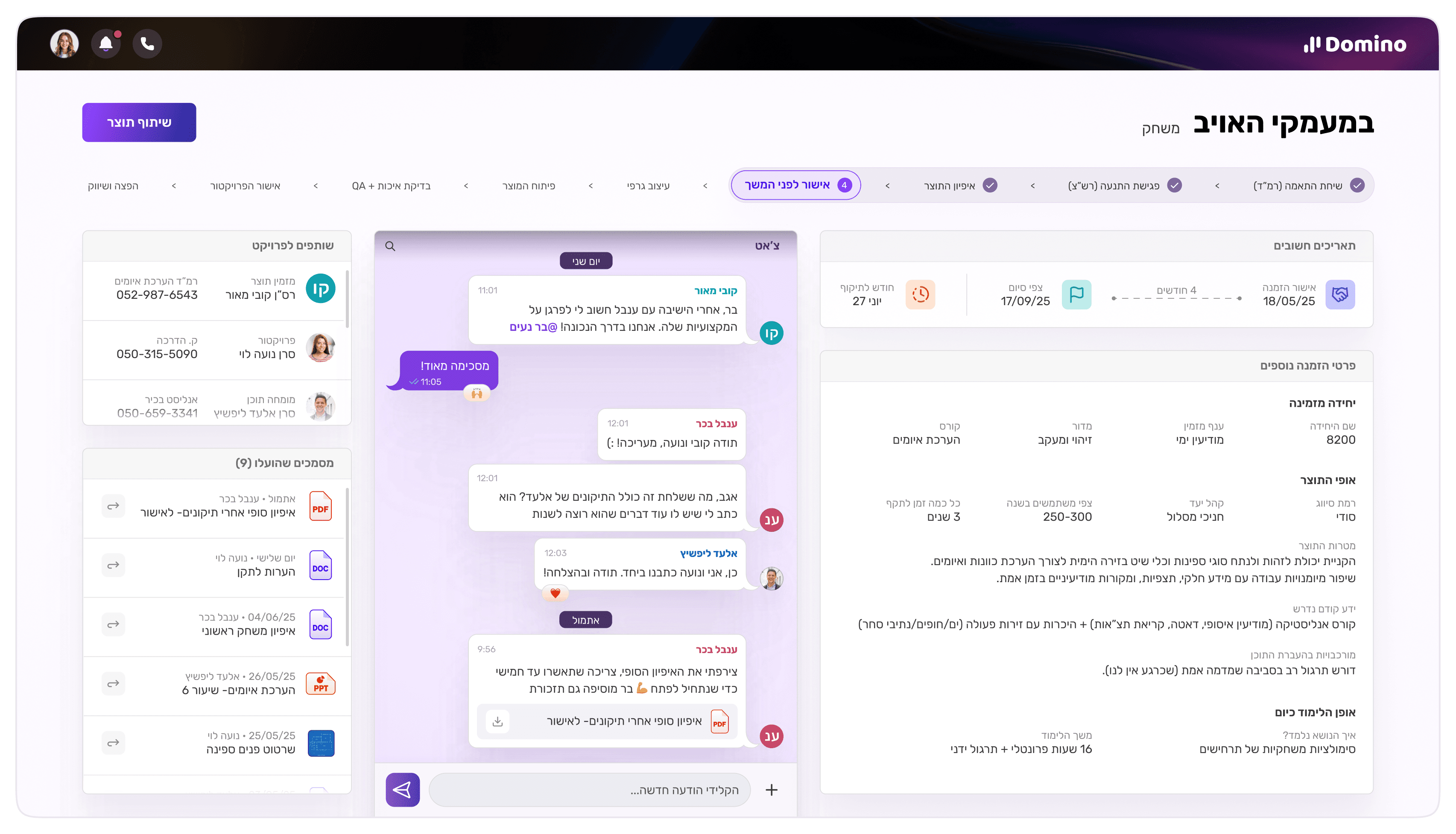
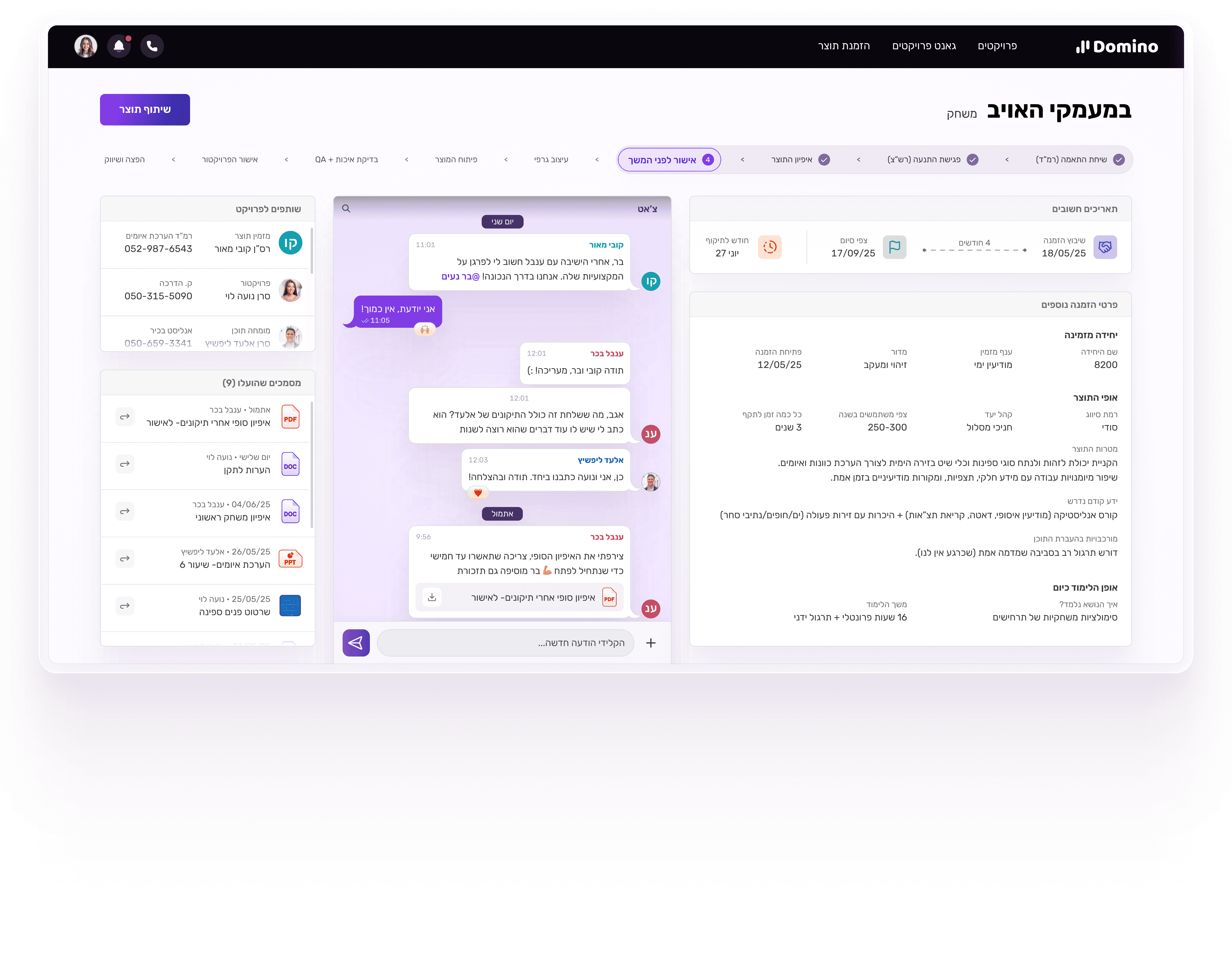
Project View: Tracking & Visibility
Request details, progress stages, and one centralized chat to keep project communication clear and focused.

~ Admin Feature 1
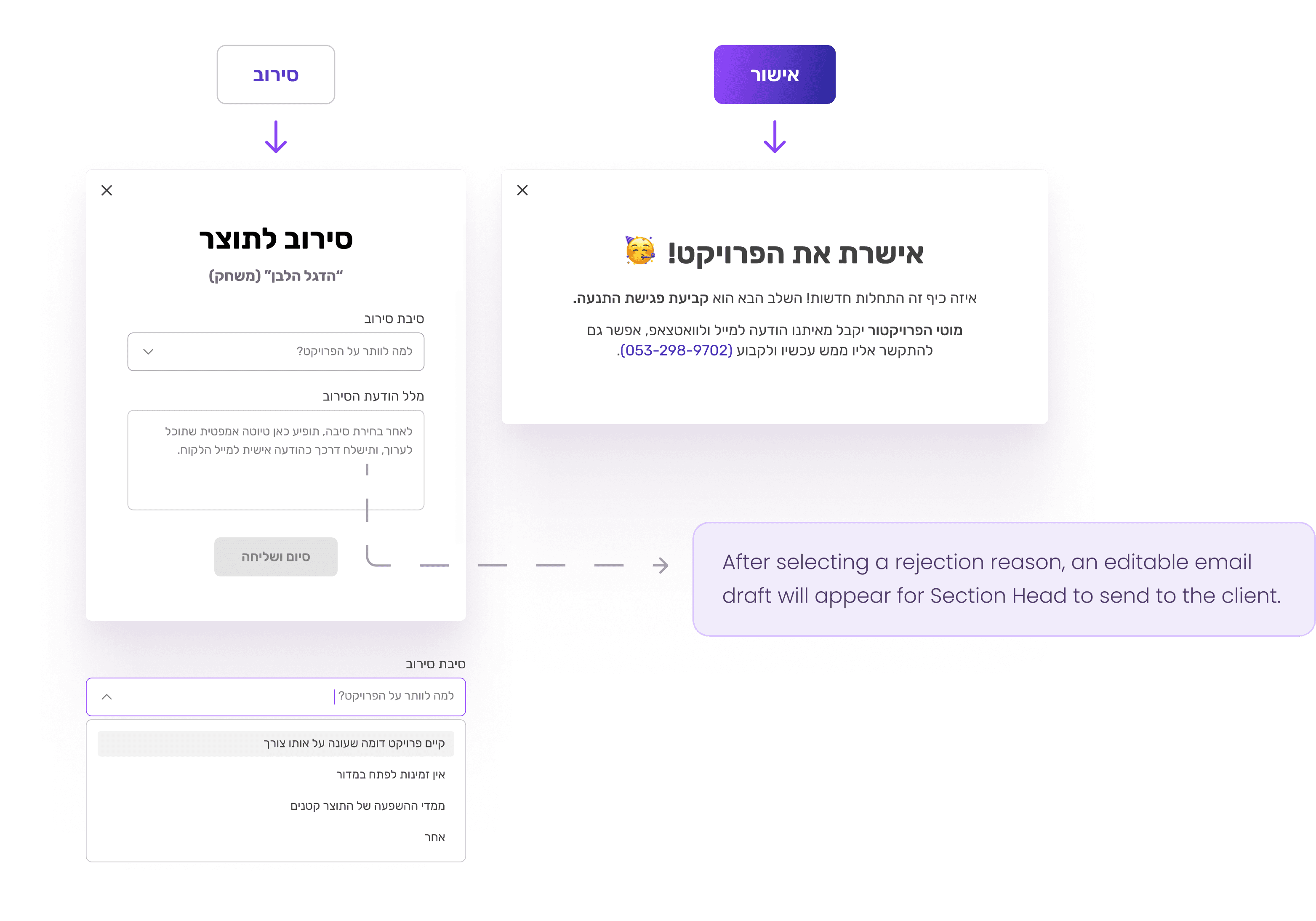
Approve / Reject Requests
Section Head can approve or reject learning projects requests- keeping the pipeline structured and controlled.
~ Admin Feature 2
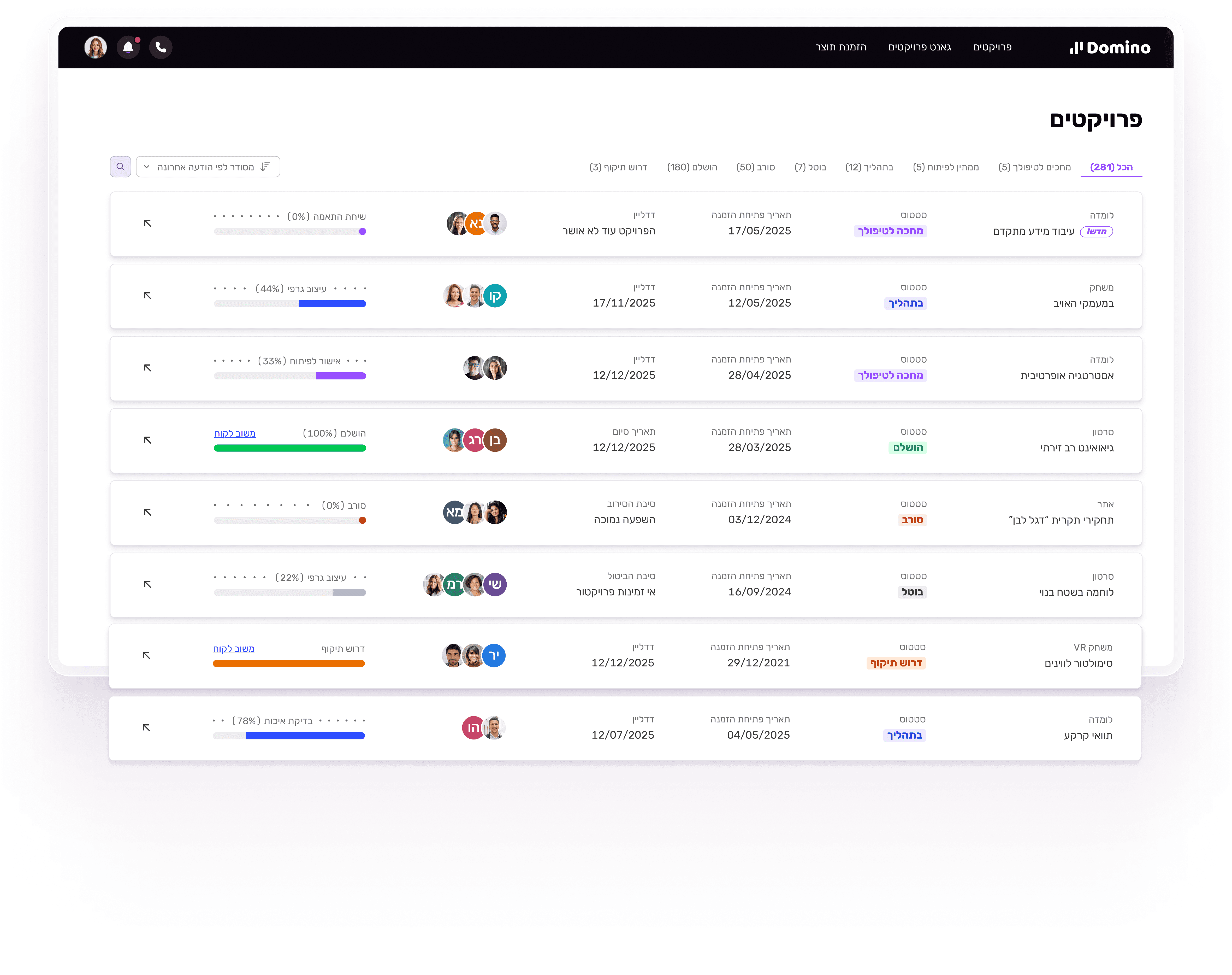
Projects Dashboard
A central dashboard showing all projects by status and priority- enabling real operational control.
~ Admin Feature 3
Add Client Tasks with Deadlines
Admins can create tasks for clients to remove ambiguity and document delays clearly.
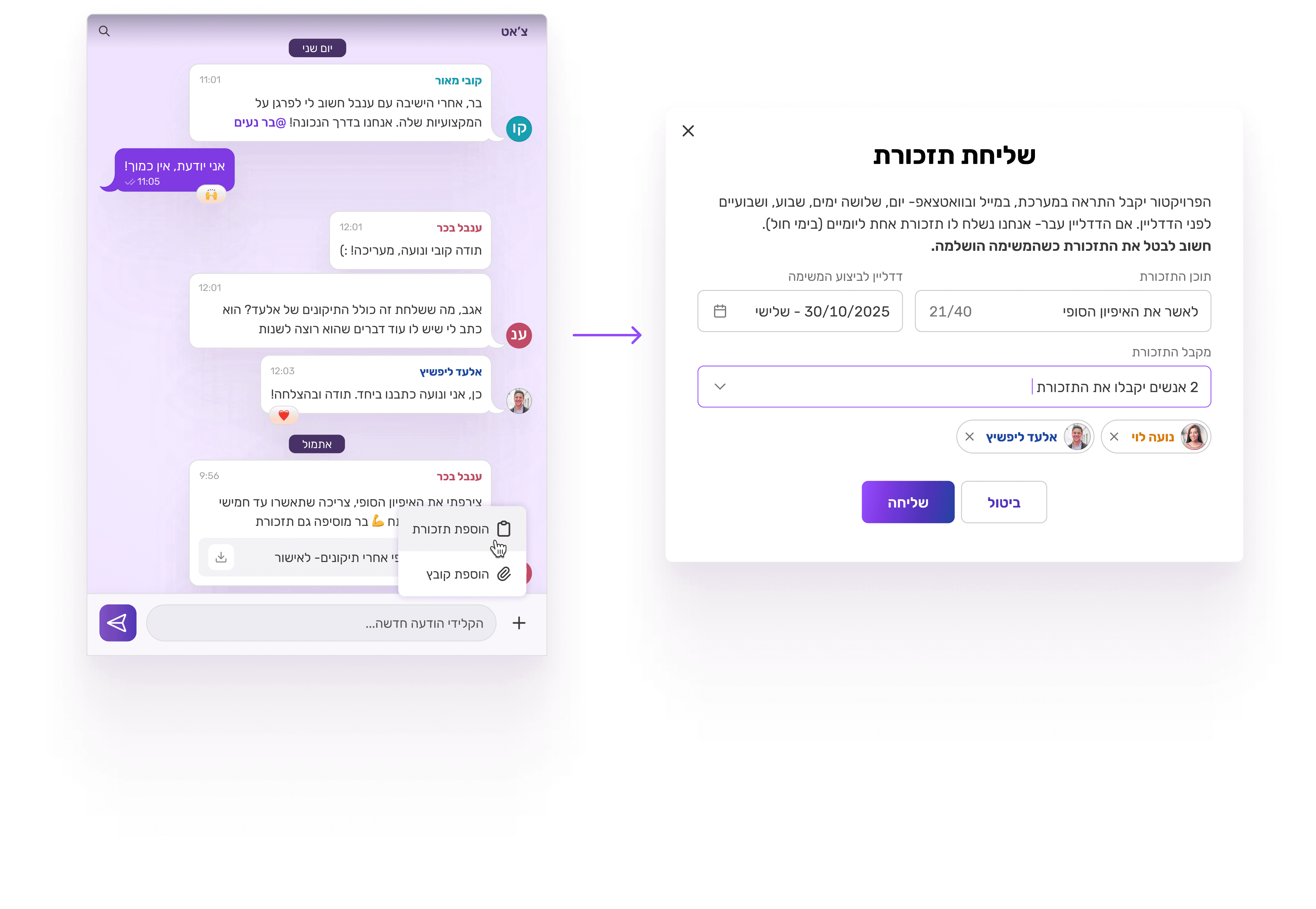

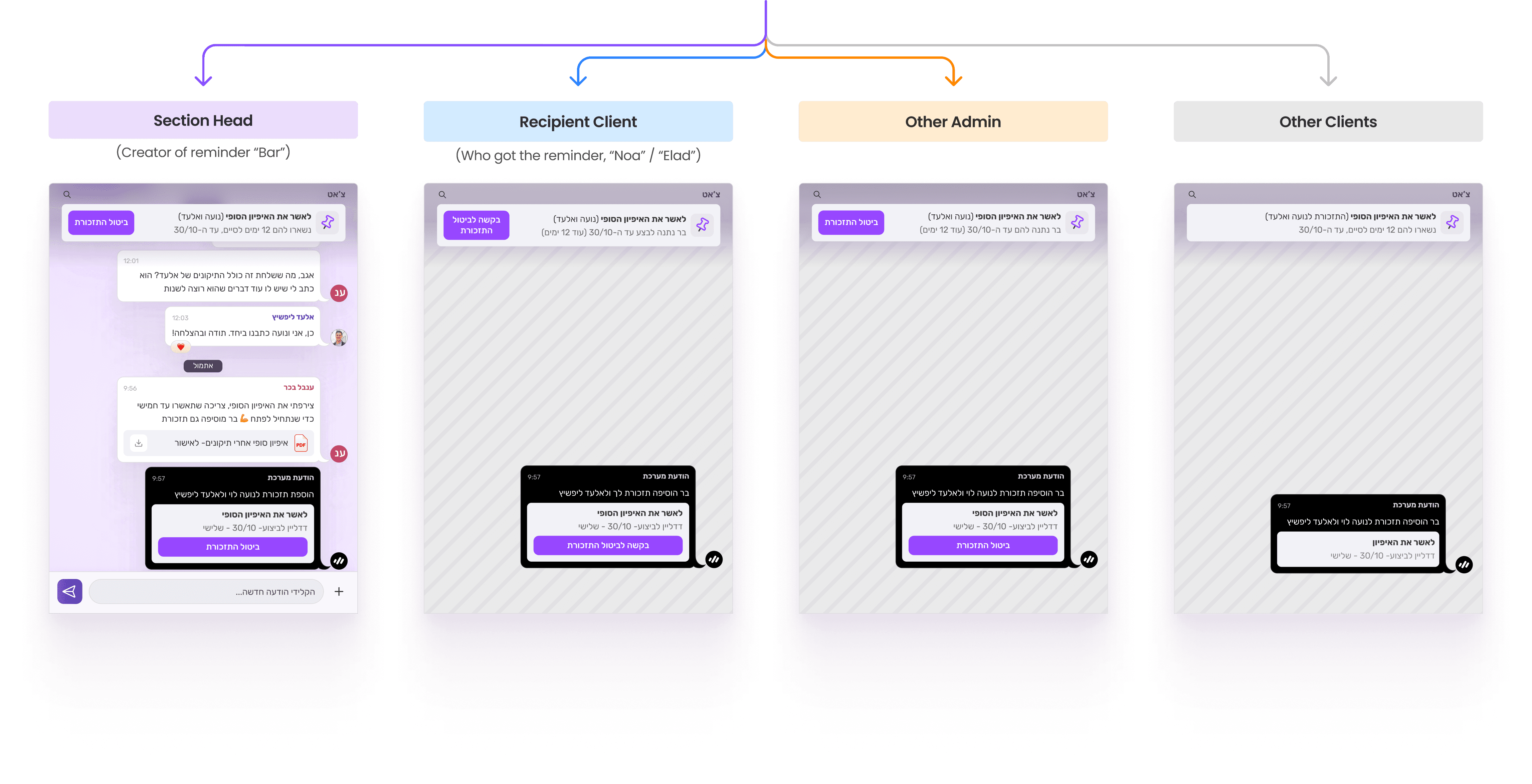
After a reminder is sent, there are 4 different views for each user, depending on whether they are:
the admin who created the reminder (+ who didn't) & the client the reminder is for (+ isn't for).
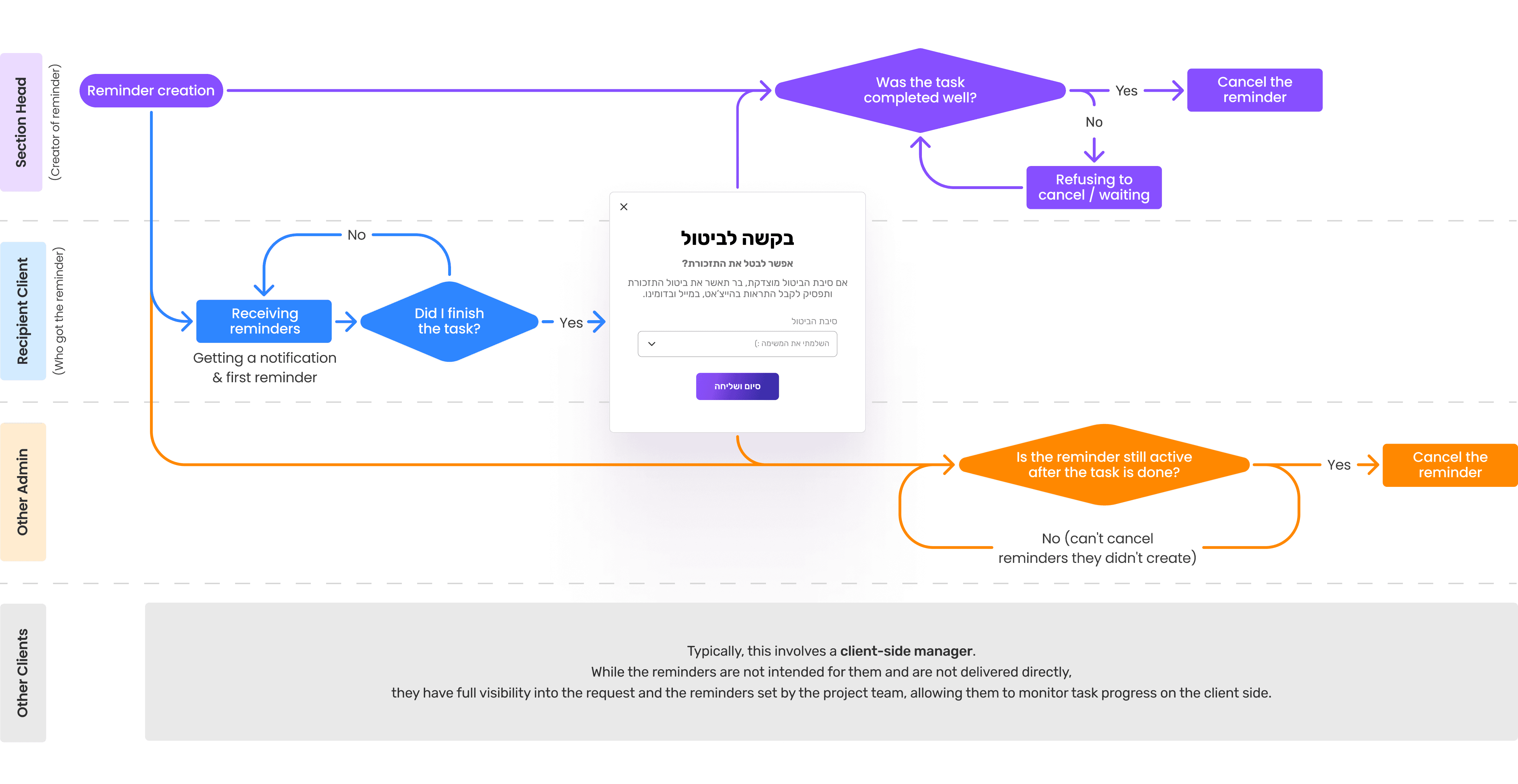
Reminder Views by User Role
Thanks FOR WATCHING
THERE ARE MORE :)